


EnergyFort RGB Mouse Charging Dock for Logitech Superlight & G502
Couldn't load pickup availability
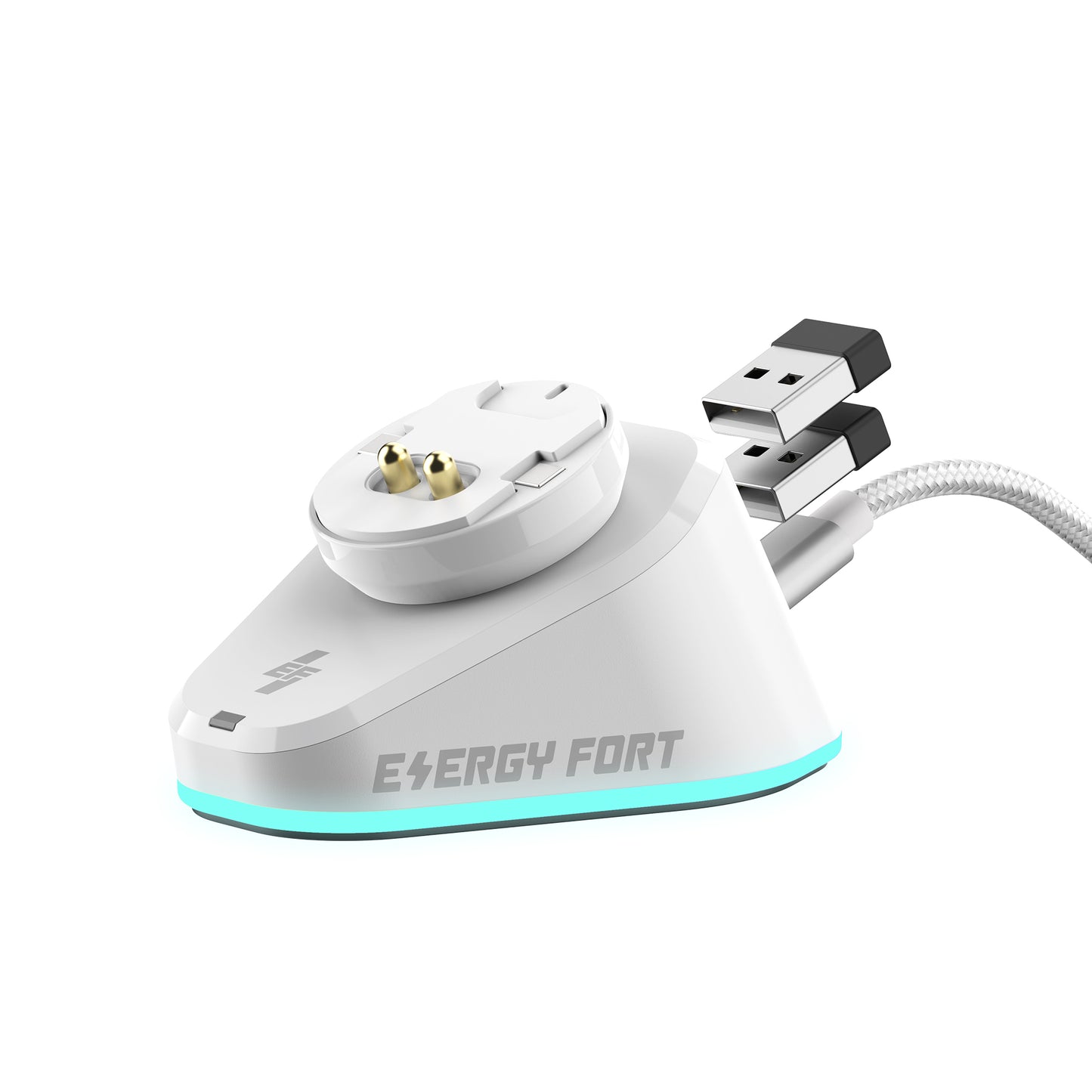
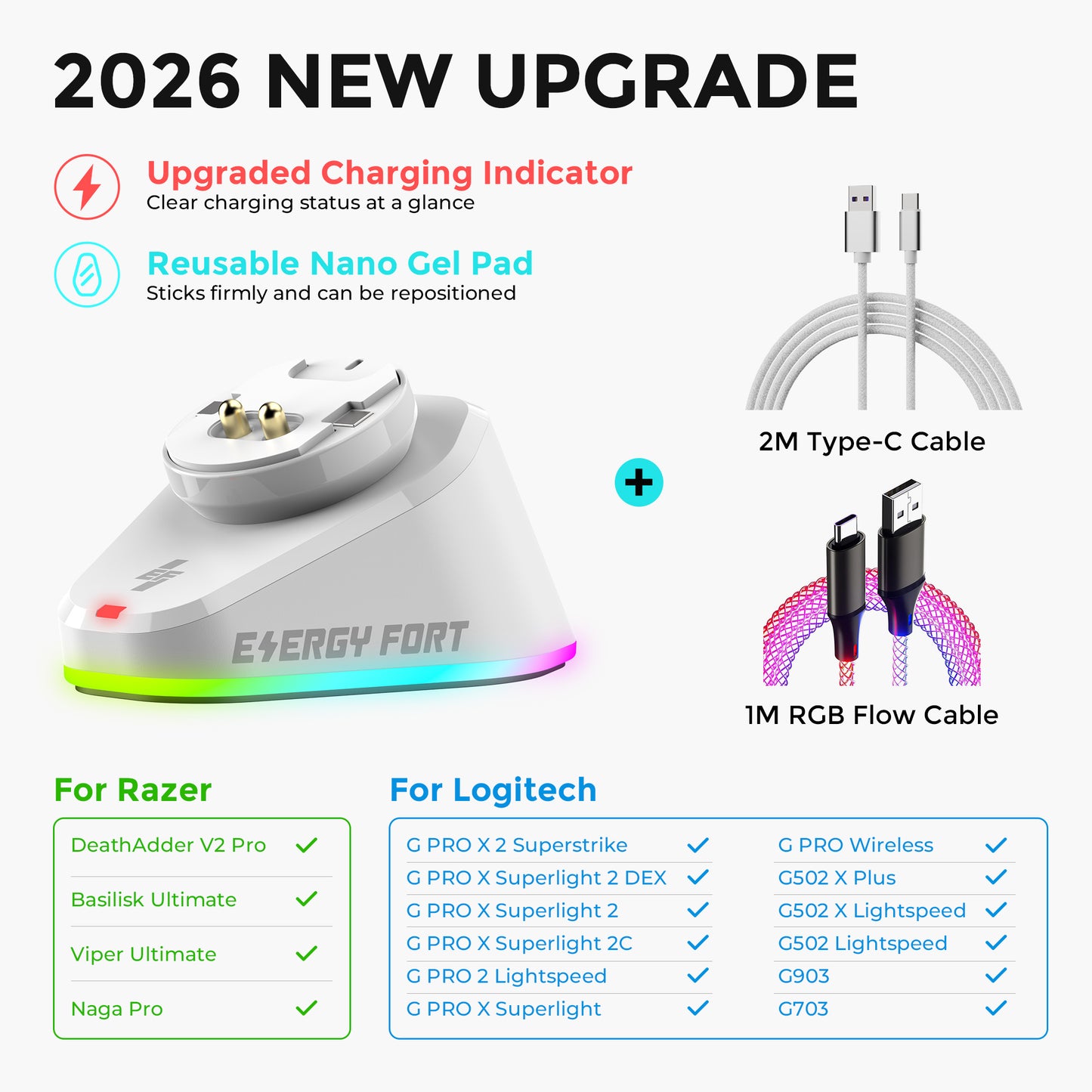
For compatible Logitech mice, remove the original bottom cover and park the mouse directly on this RGB charging dock. No extra conversion module is required. It combines an upright stand, RGB lighting and dual USB 2.0 ports. Check your exact model in the compatibility list below.
On listed compatible Logitech mice, a dark mouse charging indicator during bottom-contact charging does not establish a fault. Use Logitech G HUB to check battery and charging status. Charging may pause around 85%, depending on the mouse model and conditions; this is not a fixed cutoff controlled by the dock.
Model listed by EnergyFort: Logitech G PRO X3 SUPERSTRIKE. Check the exact model against the current compatibility list; a Logitech or Razer brand name alone does not establish fit.
Best for: users who want a cleaner gaming or work setup and prefer an upright charging stand instead of plugging a cable directly into the mouse.
Check Compatibility First
This is not a universal mouse charger. Confirm your exact mouse model before ordering.
- Logitech G PRO X3 SUPERSTRIKE
- Logitech G PRO X Superlight
- Logitech G PRO X Superlight 2 / 2C
- Logitech G PRO X Superlight 2 DEX / SE
- Logitech G PRO X2 SUPERSTRIKE
- Logitech G502 Lightspeed
- Logitech G502 X Lightspeed
- Logitech G502 X Plus
- Logitech G703
- Logitech G903
- Logitech G Pro Wireless
- Logitech G Pro 2 Lightspeed
- Razer Basilisk Ultimate
- Razer DeathAdder V2 Pro
- Razer Naga Pro
- Razer Viper Ultimate
Logitech Setup: No Extra Charging Module Required
For a Logitech model listed below, connect the dock to a suitable USB power source, remove the original removable bottom cover, and park the mouse directly on the dock with the contacts aligned. No additional conversion module or replacement puck is required. Keep the original cover. Open G HUB to check charging; RGB lighting and receiver operation alone do not prove that the battery is charging. These Logitech instructions do not establish installation or compatibility for every Razer mouse. The separate EnergyFort Qi kit requires its supplied replacement module.
Why Choose This Dock
- Upright charging: keeps the mouse organized and easy to pick up.
- RGB lighting: 7 lighting effects for gaming desk setups.
- Power-off memory: retains the previous lighting mode after power interruption or restart.
- Dual USB 2.0 ports: connect a mouse receiver or other USB devices.
- Receiver storage: built-in storage helps keep compatible receiver modules organized.
- Non-slip base: helps keep the dock stable during daily use.
Charging Behavior
According to EnergyFort's reported experience with compatible Logitech mice, wireless charging may pause at around 85% as part of the mouse's battery-protection behavior. The exact stopping level varies by mouse model, battery condition and firmware; around 85% is an approximate level, not a guaranteed fixed cutoff. Charging stopping below 100% does not by itself mean the charger is faulty. Check the charging status and battery level in Logitech G HUB.
What’s in the Box
- Mouse Charging Dock × 1
- USB-A to USB-C Cable × 1
- User Manual × 1
FAQ
Does it support Logitech G PRO X3 SUPERSTRIKE?
EnergyFort lists the Logitech G PRO X3 SUPERSTRIKE as compatible. Follow the Logitech bottom-cover instructions above and confirm charging in G HUB. Published model-specific charging-time and battery-cutoff tests are not available.
Does it work with every Logitech or Razer mouse?
No. It only works with selected compatible models listed above.
Is it only a charger?
No. It also includes dual USB 2.0 ports, receiver storage and RGB lighting.
What should I check before buying?
Confirm your exact mouse model and make sure it is listed as compatible. If you are unsure, read the Logitech guide or Razer guide.
Buying Questions: Which Charging Setup Should I Choose?
Should I choose the RGB dock, magnetic dock or Qi kit?
Choose this RGB dock if your exact mouse appears in its compatibility list and you want an upright charging stand, RGB lighting and dual USB 2.0 ports. Choose the EnergyFort Magnetic Mouse Charging Dock if you prefer a magnetic connection through a supported mouse charging port; select the correct USB-C or Micro USB tip. For supported Logitech models, the EnergyFort Qi Charging Kit uses a replacement bottom module and includes a Qi pad. These products use different charging setups; compatibility with one does not establish compatibility with the others.
Can I use an upright charging dock while playing?
This dock is intended for charging while the mouse is parked on the stand, such as between gaming sessions. It is not a charging mouse pad. If charging while moving the mouse is essential, compare a suitable wired charging setup or a compatible Logitech POWERPLAY system rather than treating a parked charging dock as equivalent.
Why does my Logitech mouse charging light stay off on the RGB dock?
For compatible Logitech mice using this dock's bottom charging connection, the mouse's charging indicator does not light up as it does with charging through the front USB-C or Micro-USB port. A dark mouse indicator alone does not mean charging has failed. Open Logitech G HUB to check the charging status and battery level. If the battery is low and does not increase after charging, check the dock's USB power, contact alignment and exact-model compatibility.
Will the mouse charging indicator light up with the magnetic dock?
EnergyFort's magnetic dock charges through the mouse's front USB-C or Micro-USB port, rather than through the RGB dock's bottom contacts. On the supported Logitech models described here, this front-port charging lights the mouse's charging indicator. Choose the correct connector and check the magnetic dock's own compatibility list.
Share






- 5 stars: 2 (100%)
- 4 stars: 0 (0%)
- 3 stars: 0 (0%)
- 2 stars: 0 (0%)
- 1 star: 0 (0%)
Great quality and has Compatibility with Logitech and Razer. highly recommend Great value for the price.
Excellent charging solution for my G502 X Plus
I’ve been using this dock with my Logitech G502 X Plus for about two weeks. Charging is stable and I like that I don’t need to plug in a cable every night. The RGB lighting is a nice bonus and looks good on my desk.
Setup only took a couple of minutes and everything worked as expected.
