EnergyFort Magnetic Mouse Charging Dock — USB-C / Micro-USB
Couldn't load pickup availability
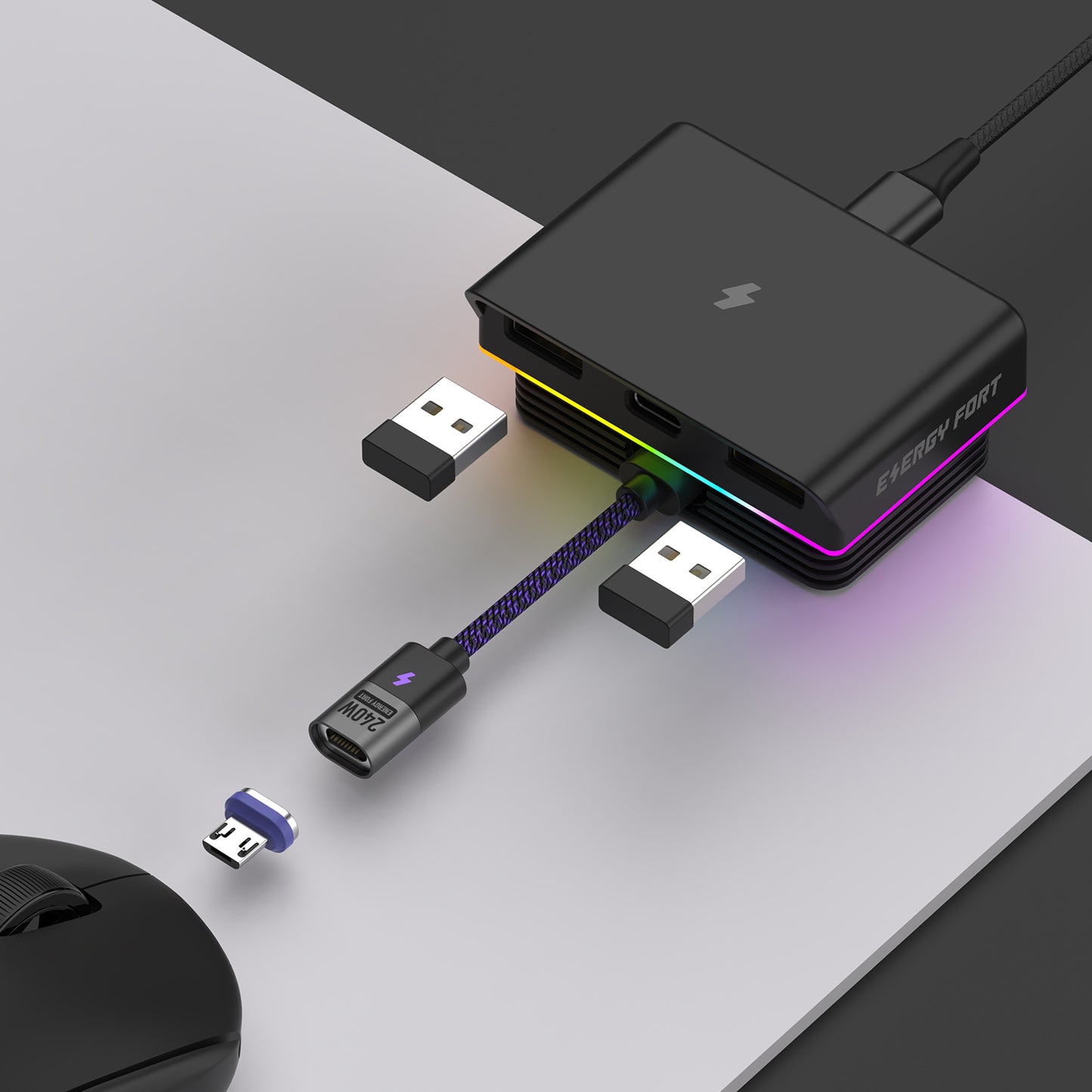
Magnetic wired charging through your mouse's front USB-C or Micro-USB port. Choose the matching magnetic tip for a model listed below. The selected tip, short magnetic charging cable and USB-A to USB-C cable are included.
This is not Qi wireless charging and does not require a replacement bottom module. For supported Logitech mice, front-port charging lights the charging indicator and can reach 100%; the approximate wireless charging stopping level does not apply.
New compatibility: The EnergyFort Magnetic Mouse Charging Dock supports the Logitech G PRO X3 SUPERSTRIKE. Because the X3 uses USB-C charging, choose the USB-C Magnetic Tip version for this mouse.
Best for: users who want fast magnetic connection, less repeated plugging and a cleaner desk setup.
Choose the Correct Magnetic Tip
- USB-C Magnetic Tip: for compatible USB-C mouse charging ports.
- Micro USB Magnetic Tip: for compatible Micro USB mouse charging ports.
This is not a universal mouse charger. Confirm both your mouse model and charging port before ordering.
Compatible Mouse Models
- Razer Viper V4 Pro
- Razer Viper V3 Pro
- Razer DeathAdder V4 Pro
- Razer DeathAdder V3 Pro
- Razer Basilisk V3 Pro
- Logitech G PRO X3 SUPERSTRIKE
- Logitech G PRO X SUPERLIGHT 2 LIGHTSPEED
- Logitech G PRO Wireless
- Logitech G PRO X SUPERLIGHT
- Logitech G703 Lightspeed
- Logitech MX Master 2S
- Logitech MX Master 3S
- Logitech MX Anywhere 3
- Logitech MX Anywhere 3S
- Logitech G705
- Logitech MX ERGO
Key Features
- Magnetic charging connection for easier daily charging.
- Dual USB 2.0 ports for a receiver or other USB devices.
- Front receiver placement for a cleaner desktop setup.
- Easy-pull tab helps remove the magnetic tip from deeper charging ports.
- RGB desk lighting for gaming setups.
What’s in the Box
- Magnetic Mouse Charging Dock × 1
- USB-A to USB-C Cable × 1
- Short Magnetic Charging Cable × 1
- Selected Magnetic Tip × 1
- Magnetic Tip Ejection Tab × 1
- User Manual × 1
FAQ
Which version should I use for Logitech G PRO X3 SUPERSTRIKE?
Choose the USB-C Magnetic Tip version. The PRO X3 SUPERSTRIKE charges through USB-C, so the Micro USB version is not the correct choice for this model.
Which version should I buy?
Choose USB-C Magnetic Tip for a listed USB-C mouse, or Micro USB Magnetic Tip for a listed Micro-USB mouse. Check the port recess and tip clearance as well as connector type; do not force a tip that does not seat fully.
Does it fit every Logitech or Razer mouse?
No. Mouse shape, charging-port position and port depth vary by model. Use the compatibility list above as your first check.
Need help choosing?
Read the Logitech guide or Razer guide.
Buying Questions: Magnetic Charging and Model Fit
Is magnetic charging the same as Qi wireless charging?
No. The EnergyFort Magnetic Mouse Charging Dock uses a selected magnetic tip inserted into a compatible USB-C or Micro USB mouse charging port. It does not turn the mouse into a Qi receiver and does not use a replacement bottom Qi module. The magnetic tip, short magnetic charging cable and USB-A to USB-C cable are included in this product's package.
Which EnergyFort dock should I consider for a Razer Viper V3 Pro or V4 Pro?
Both models are listed as supported by this magnetic dock. Choose the USB-C Magnetic Tip version and check the exact model and port before ordering. Do not assume the same support from the EnergyFort RGB Mouse Charging Dock: its Razer compatibility list includes Viper Ultimate, which is a different model. See the Razer charging guide for model-specific setup choices.
Will my Logitech mouse charging indicator light up with this magnetic dock?
For supported Logitech models, this dock charges through the mouse's front USB-C or Micro-USB port using the selected magnetic tip. EnergyFort confirms that the mouse's charging indicator lights during this front-port charging setup. This differs from the EnergyFort RGB dock's bottom-contact charging setup, where a dark mouse charging indicator alone does not mean charging has failed. You can also check the charging status and battery level in Logitech G HUB. Match the magnetic tip to the exact mouse model and connector.
Share