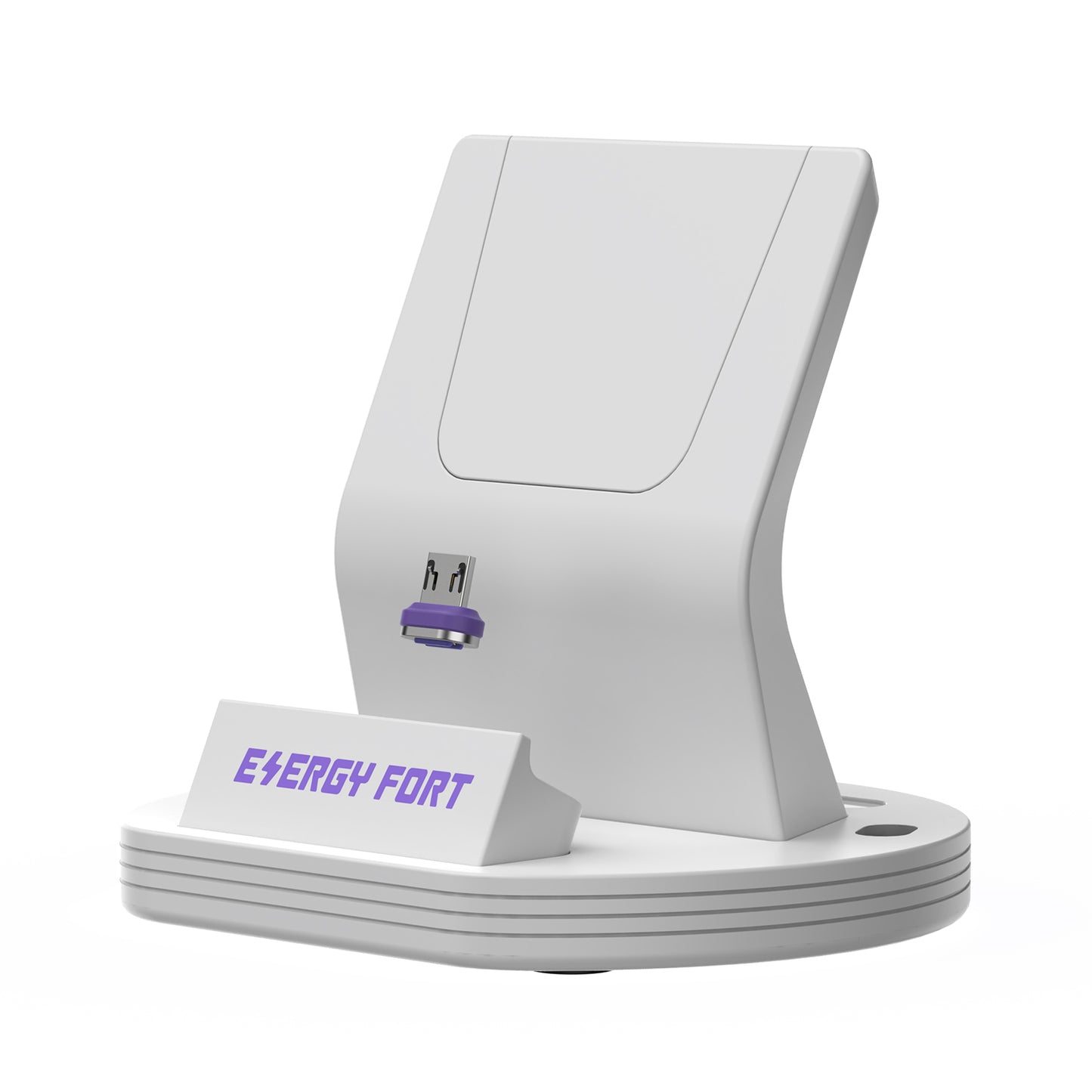
EnergyFort 240W Magnetic Wired Charging Dock
Couldn't load pickup availability
- Free Shipping
- 30-Day Returns
- 12-Month Warranty
Charge by placing your device on the dock—then tilt it to release. The EnergyFort 240W Magnetic Wired Charging Dock combines a magnetic charging connection with an upright phone stand for a cleaner desk, bedside table or everyday charging space.
iPhone 18 Pro & iPhone 18 Pro Max USB-C Charging
For iPhone 18 Pro and iPhone 18 Pro Max, choose the USB-C Magnetic Tip version. The Micro USB version does not fit these iPhones. Check that the phone sits securely with the tip aligned; recommended case thickness is 2.5mm or less. This dock uses magnetic wired charging, not MagSafe or Qi. The 240W rating describes the accessory's maximum supported capability in a compatible setup, not the charging power delivered to an iPhone. Charging speed depends on the complete charging setup.
Insert the selected magnetic connector tip into a compatible device, connect the dock to a suitable USB-C power source, and place the device onto the charging contact. The dock supports charging setups up to 240W when the device, charger and charging protocol are all compatible.
Why Choose This Magnetic Charging Dock?
- Drop to charge, tilt to release: make the charging connection with one hand and remove the device with a simple tilt.
- Up to 240W supported: designed for compatible high-power wired charging setups.
- 60° viewing angle: keeps the screen visible for notifications, video calls and desk use while charging.
- USB-C or Micro USB tip: choose the connector that matches your device before ordering.
- Detachable rear support: remove the support section when needed for some devices fitted with a ring holder.
- Magnetic tip storage: a dedicated position on the base helps keep the small connector tip organized.
- Black or white: choose the finish that suits your desk or bedside setup.
How Magnetic Wired Charging Works
- Choose the USB-C Magnetic Tip or Micro USB Magnetic Tip version for your device.
- Insert the magnetic tip into the device charging port.
- Connect the dock's USB-C power input to a compatible charger.
- Place the device onto the dock to make the magnetic wired connection.
- Tilt the device away from the dock to remove it.
This is a wired magnetic charger, not a wireless charger. It does not use MagSafe or Qi wireless charging. The magnetic connection replaces repeated manual plugging and unplugging at the device.
Choose the Correct Connector Tip
- USB-C Magnetic Tip: for compatible devices with a USB-C charging port.
- Micro USB Magnetic Tip: for compatible devices with a Micro USB charging port.
The two versions are not interchangeable at the device port. Check the charging port on your device before ordering.
Compatibility
Designed for compatible phones and small devices that can sit securely against the dock with the selected connector tip installed. It can be used at a desk, bedside table or other fixed charging position.
- Recommended case thickness: 2.5mm or less.
- Port position, case opening and device shape can affect alignment.
- Thick, rugged or unusually shaped cases may prevent a stable connection.
- The detachable rear support may improve fit for some phones with a ring holder.
Charging Performance
The dock supports charging setups up to 240W; 240W is not the fixed charging speed for every device. Actual power depends on the device, charger, charging protocol, cable, connector configuration, temperature and battery condition.
To reach a particular charging power, every part of the charging setup must support it. USB-C PD 3.1 performance applies only when the connected USB-C device, charger and complete charging setup are compatible. Micro USB devices remain limited by the device and Micro USB interface and should not be expected to charge at 240W.
Technical Specifications
- Product type: magnetic wired charging dock and upright stand
- Maximum supported charging capability: up to 240W with a fully compatible setup
- Dock power input: USB-C
- Viewing angle: 60°
- Connector options: USB-C Magnetic Tip / Micro USB Magnetic Tip
- Color options: Black / White
- Recommended case thickness: ≤2.5mm
- Charging method: wired magnetic connection; not Qi or MagSafe wireless charging
Magnetic wired charging dock — Before You Buy
- Confirm whether your device uses USB-C or Micro USB before choosing the version.
- 240W is the dock's maximum supported capability under a compatible setup, not a guaranteed speed for every device.
- Use a charger and cable that support the power required by your device.
- This product is not a wireless charging stand and does not provide Qi or MagSafe charging.
- Check your case thickness, port opening and device shape. Cases thicker than 2.5mm may affect fit.
- Keep the magnetic contacts clean and dry for a stable connection.

What’s in the Box
- EnergyFort Magnetic Wired Charging Dock × 1
- Selected magnetic connector tip × 1
- USB-C power cable × 1
- User manual × 1

Product FAQ
Is this a wireless charger?
No. This is a magnetic wired charging dock. The magnetic tip connects through the device's charging port; it does not use Qi or MagSafe wireless charging.
Does every device charge at 240W?
No. The dock supports charging setups up to 240W, but actual power depends on the device, charger, protocol, cable, connector configuration and battery condition.
What is required for 240W charging?
The device, charger and complete charging setup must all support the required charging power and protocol. If one component supports a lower power, charging will operate at the lower compatible level.
Which connector tip should I choose?
Choose USB-C for a device with a USB-C port or Micro USB for a device with a Micro USB port. Check the device port before ordering.
Can the Micro USB version charge at 240W?
Micro USB devices are limited by their device hardware, interface and supported charging protocol. Selecting this dock does not make a Micro USB device charge at 240W.
Can I use the dock with a phone case?
It is designed for ordinary cases up to 2.5mm thick. Thick, rugged or unusually shaped cases may affect the magnetic alignment and charging connection.
What is the detachable rear support for?
It supports the device in the upright position and can be removed when needed to accommodate some phones fitted with a ring holder. Fit still depends on the phone and accessory shape.
How do I remove the phone from the dock?
Tilt the phone away from the magnetic contact instead of pulling it straight upward. This makes one-handed removal easier.
Does the dock support USB PD 3.1?
It can be used in a compatible USB-C PD 3.1 charging setup. The connected USB-C device, charger and complete charging path must also support the protocol.
Why is the charging speed lower than expected?
Check the device's supported input power, charger output, charging protocol, cable, connector alignment, temperature and battery level. The lowest-supported component determines the practical charging speed.
Help choosing the right setup
Read the buying and setup guide before selecting your connector, length or package.