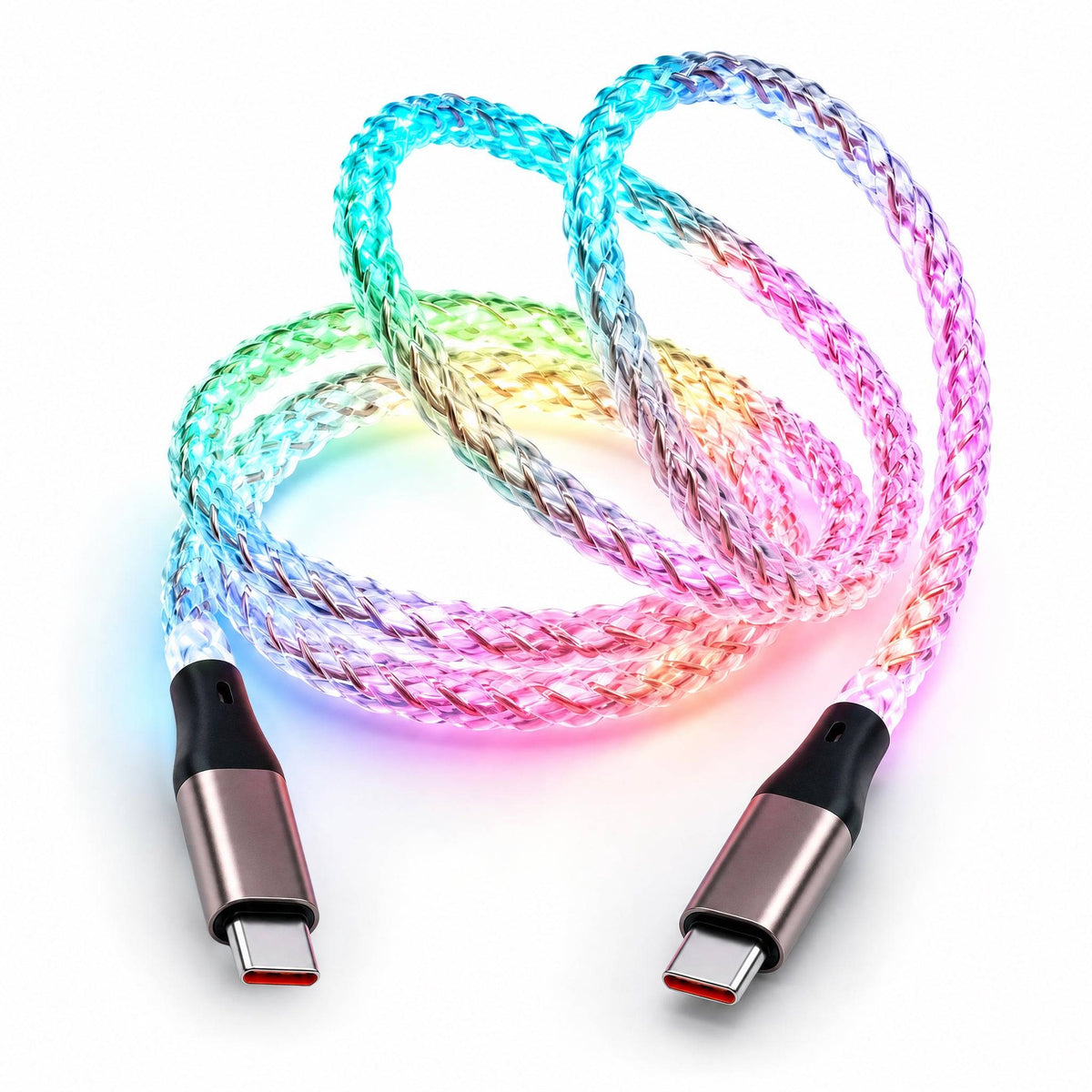
EnergyFort RGB Charging Cable – 60W Flow Light USB-C Cable
Couldn't load pickup availability
- Free Shipping
- 30-Day Returns
- 12-Month Warranty
The EnergyFort RGB charging cable brings flowing multicolor light to everyday charging. Connect a compatible USB-C phone, tablet or accessory and make the cable part of your desk, gaming setup or car interior. Choose USB-A to USB-C or USB-C to USB-C to match your power source.
With a 60W maximum cable rating, data transfer up to 480Mbps and an approximately 1 m length, it combines a colorful lighting effect with practical everyday use. Actual charging power depends on your selected connector, charger, device and supported charging protocol.
RGB Charging Cable with Flowing Multicolor Light
The illuminated cable creates a dynamic RGB flowing effect while connected to power. It adds color to your setup and makes the cable easier to spot in a dim room.
- Flowing RGB lighting: multicolor illumination along the cable.
- Flexible double-braided exterior: easy to route around your everyday setup.
- Aluminum alloy connector shells: a clean metal finish at the connector ends.
- Charging and data: one cable for powering compatible devices and transferring files.

Choose the Right Connector
USB-A to USB-C
Choose this version for a traditional rectangular USB-A port on a charger, computer or compatible vehicle. The USB-C end connects to your device.
USB-C to USB-C
Choose this version for a USB-C power adapter, computer or power bank. Both ends use USB-C connectors.
Charging note: a 60W cable rating does not mean every device will receive 60W. USB-A does not provide the same USB-C Power Delivery charging behavior as a USB-C connection. Match the cable to your charger and device rather than selecting by the wattage label alone.
Compatible USB-C Devices
Use the cable with compatible USB-C phones, tablets, earbuds, controllers and power banks. For iPhone and iPad, check that your model has a USB-C port; this cable does not connect directly to a Lightning port.
Before ordering, check both ends of your setup: the port on your power source and the charging port on your device. Charging speed depends on the equipment and charging protocols used.

Everyday Data Transfer and Car Connections
Transfer files and sync compatible devices at speeds up to 480Mbps. This is a charging and USB 2.0 data cable; it is not designed for video output.
The USB-A to USB-C version can be used with compatible USB-C phones and vehicles that already support wired CarPlay or Android Auto. Connect to the vehicle's supported data port. The cable does not add these functions to an unsupported vehicle.
Specifications
- Connector options: USB-A to USB-C or USB-C to USB-C
- Maximum cable power rating: 60W Max; actual charging power varies by setup
- Maximum current: 3A
- Data transfer: up to 480Mbps
- Length: approximately 1 m / 3.3 ft
- Lighting: dynamic multicolor RGB flowing effect
- Connector shells: aluminum alloy
- Cable exterior: flexible double-braided construction
Package Contents
1 × EnergyFort RGB charging cable in your selected connector configuration.
Power adapter and demonstration devices are not included.
Frequently Asked Questions
Will it charge my phone at 60W?
Not necessarily. The cable has a 60W maximum rating, but the power delivered depends on the connector version, charger, device and supported charging profile.
Can I turn off the RGB lighting?
The flowing light activates when the cable receives power. There is no separate lighting switch.
Does it transfer data?
Yes. It supports data transfer up to 480Mbps for compatible devices.
Does it support video output?
No. This cable is designed for charging and USB 2.0 data transfer, not for connecting a display.
Which version should I order?
Choose USB-A to USB-C for a rectangular USB-A source port. Choose USB-C to USB-C for a USB-C source port. Your device must have a compatible USB-C connection.
Buying Guide and Support
Read the RGB flow light cable buying and setup guide for help choosing your connector.
EnergyFort buying guides · Shipping details · Return conditions · Warranty coverage
Third-party device names identify compatibility only. EnergyFort is not affiliated with, endorsed by or sponsored by the referenced device manufacturers.